
ATS resume template: a free Word file tested in 4 ATSs
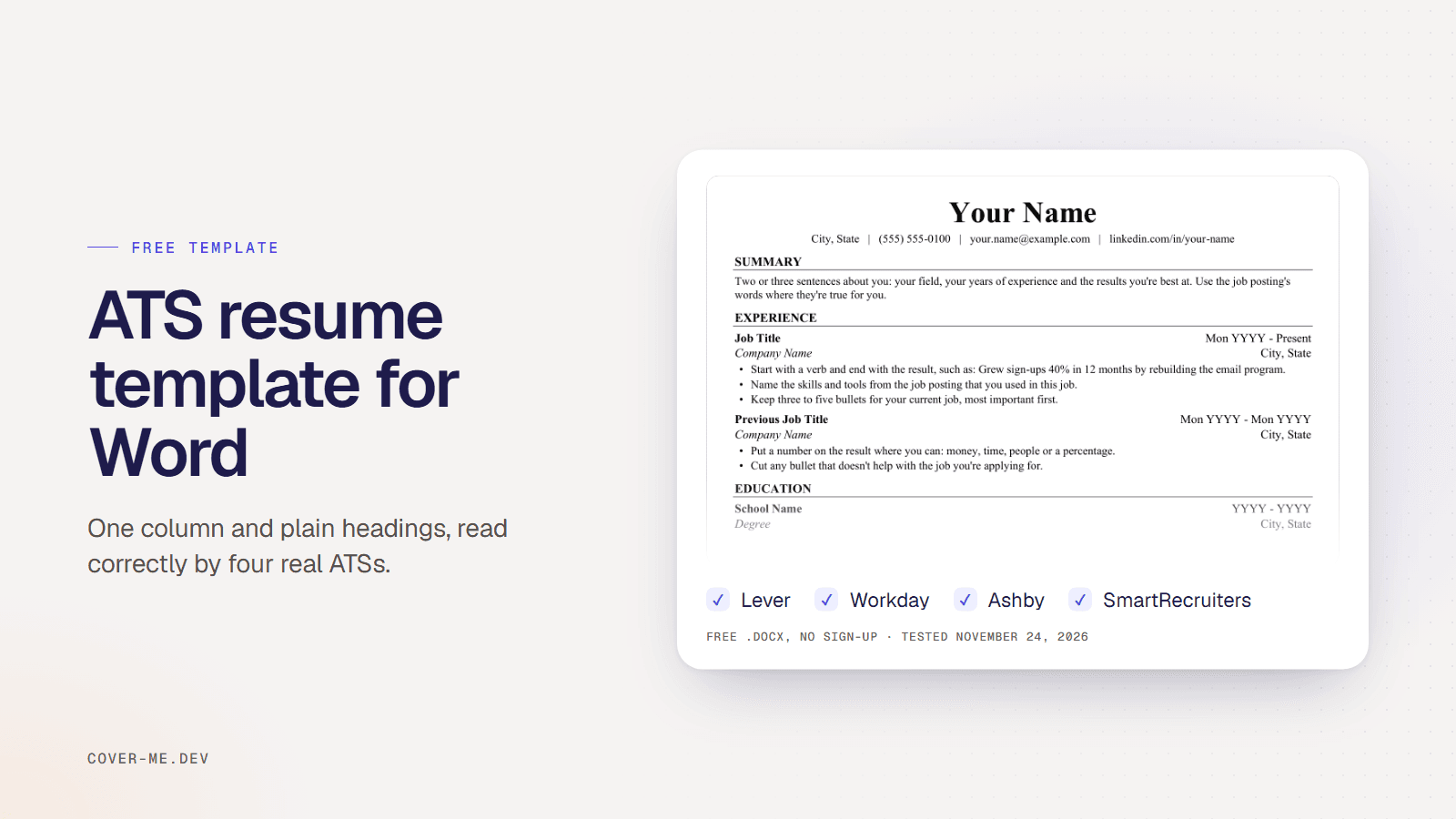
A free one-column Word resume template you can download without signing up. It’s the layout Cover Me downloads when it tailors a resume, and Lever, Workday, Ashby and SmartRecruiters all read it correctly when I uploaded it to real job postings.
Lincoln Laylor4 min read
TL;DR
- One column, plain headings, name and contact details in the page.
- Read correctly by Lever, Workday, Ashby and SmartRecruiters on November 24, 2026.
- Free, no account, no email. Opens in Word.
What makes this template ATS-friendly
An ATS-friendly resume template is one that applicant tracking systems (ATSs), the software employers use to collect applications, can read into their forms without mixing anything up. That means one column, plain headings, contact details in the page and no tables.
This one is a single page in Times New Roman, in one column that reads top to bottom: your name and contact line, then Summary, Experience, Education and Skills. Each job has a line with the job title and dates, a line with the company and location, and bullets in Word’s own list style. Every line is a placeholder that says what goes there.
It has no tables, text boxes, columns, icons or pictures. In my tests, a table and a two-column design each tripped up one system, so the template is plain on purpose.
Which ATSs read it correctly
On November 24, 2026, I filled this template in for the same made-up marketing manager as in my test of six resume formats from October 31, 2026. I uploaded it to the “autofill from resume” button on live job postings, then a PDF saved from it in Word, and wrote down what each system filled in. All four filled in the form correctly. The PDF got the same results as the Word file, except for one Workday detail in the table.
| ATS | Where I tested it | What it filled in correctly | Small details it still got wrong |
|---|---|---|---|
| Lever | Employ's careers page | Name, email, phone, city, current company, LinkedIn link | Nothing |
| Workday | NVIDIA's careers site | Name, phone, city, every job title, company, location and start and end month, the school | Left the degree empty, showed the Word file’s bullets as “1.” in the job descriptions |
| Ashby | Ashby's own careers page | Name, email, city, LinkedIn link | Nothing |
| SmartRecruiters | A Bosch job posting | Name, email, phone, city, every job title, company and bullet, the degree | Shortened the school name, dropped the months from the dates, skipped the LinkedIn link |
Tested November 24, 2026. This layout fixed both of Workday’s mistakes with the plain file in October: it filled in the latest company and kept the job title out of the address. SmartRecruiters made the same small errors with both files, so no layout fixes those. Check the form before you submit. Read the October test.
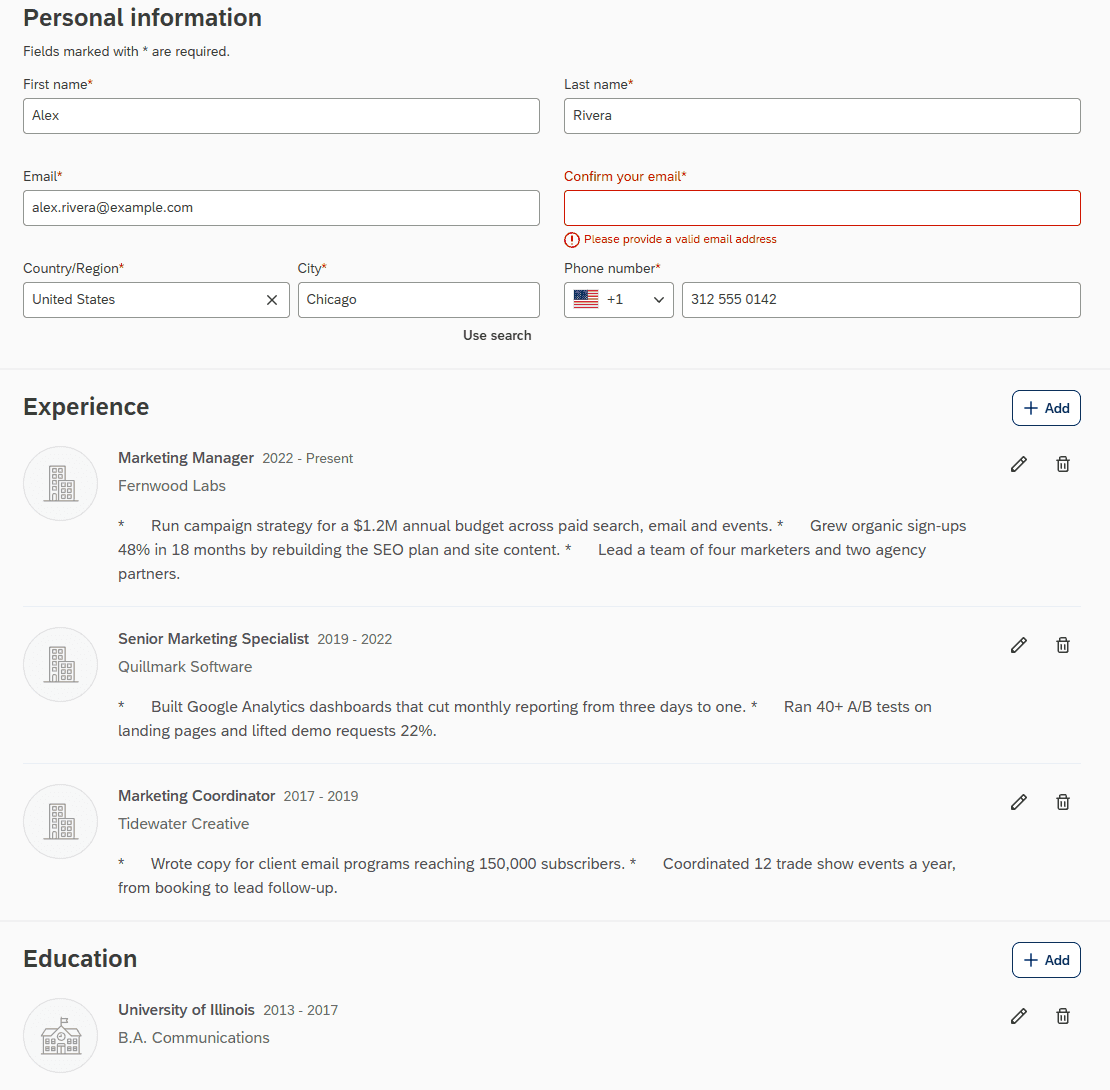
Upload the template blank and it’s a different story: Ashby fills in the email and LinkedIn link but leaves “Your Name” and “City, State” empty, most likely because they aren’t a real name or place. Replace every placeholder before you apply.
How to fill it in
- Replace every placeholder. Type over Your Name, City, State, Job Title, Company Name and the dates. The bullets say what to write in each one.
- Keep your name and contact details as the first lines. Leave them in the page, not in Word's header area. Some simpler systems skip the header.
- Keep the section headings. Summary, Experience, Education and Skills are the plain headings the tested file used. If you rename one or add one, such as Projects, keep it plain.
- Add a job by copying one. Copy a job title line, the company line under it and its bullets, and paste them below. That keeps the Word styles and the tab before the dates.
- Don't add tables, text boxes or columns. In the test, a table and a two-column design each broke one system.
- Save as Word or PDF. Both worked. Then upload it, and check what the form fills in before you submit.
Then tailor it to each job
A clean format gets your words read. Recruiters then search those words for the skills in the posting, so each application needs the posting’s wording where it’s true for you. See how to tailor your resume to a job description, or how to do it in Word without breaking the layout.
Frequently asked questions
Is this ATS resume template free?
Yes. It downloads as a Word file (.docx) straight from this page, with no account and no email address.
Which ATSs read this resume template correctly?
Lever, Workday, Ashby and SmartRecruiters all filled in their application forms correctly from a filled-in copy of this template on November 24, 2026. It is the layout Cover Me downloads when it tailors a resume.
Should I send the template as a Word file or a PDF?
Either one. In the test, all four systems filled in the same details from the Word file and from a PDF saved from it in Word. The one difference: Workday showed the Word file’s bullets as “1.” in the job descriptions, and kept the PDF’s as bullets. Send whichever the job posting asks for. To make a PDF, use File, then Save As, and pick PDF.
Can I add color or a second column to the template?
Heading colors are fine: an earlier test file with Word's blue headings was read just as well. Keep one column, though. In that test, a two-column design made Ashby cut off a LinkedIn link, and a layout built with a table made SmartRecruiters put two skills into the degree.
Does the font matter to an ATS?
Not between standard fonts. The systems read the text in the file, not how it looks. A Calibri file in October and this Times New Roman template in November were both read correctly by all four. Pick a font that is easy to read and installed on every computer.
Filled it in? Tailor it to each posting
Cover Me tailors the resume you upload to the job posting you have open, keeps a Word file’s layout (beta), shows its ATS keyword score, and writes the cover letter. Free to start.