
How to tailor your resume in Word without losing its formatting
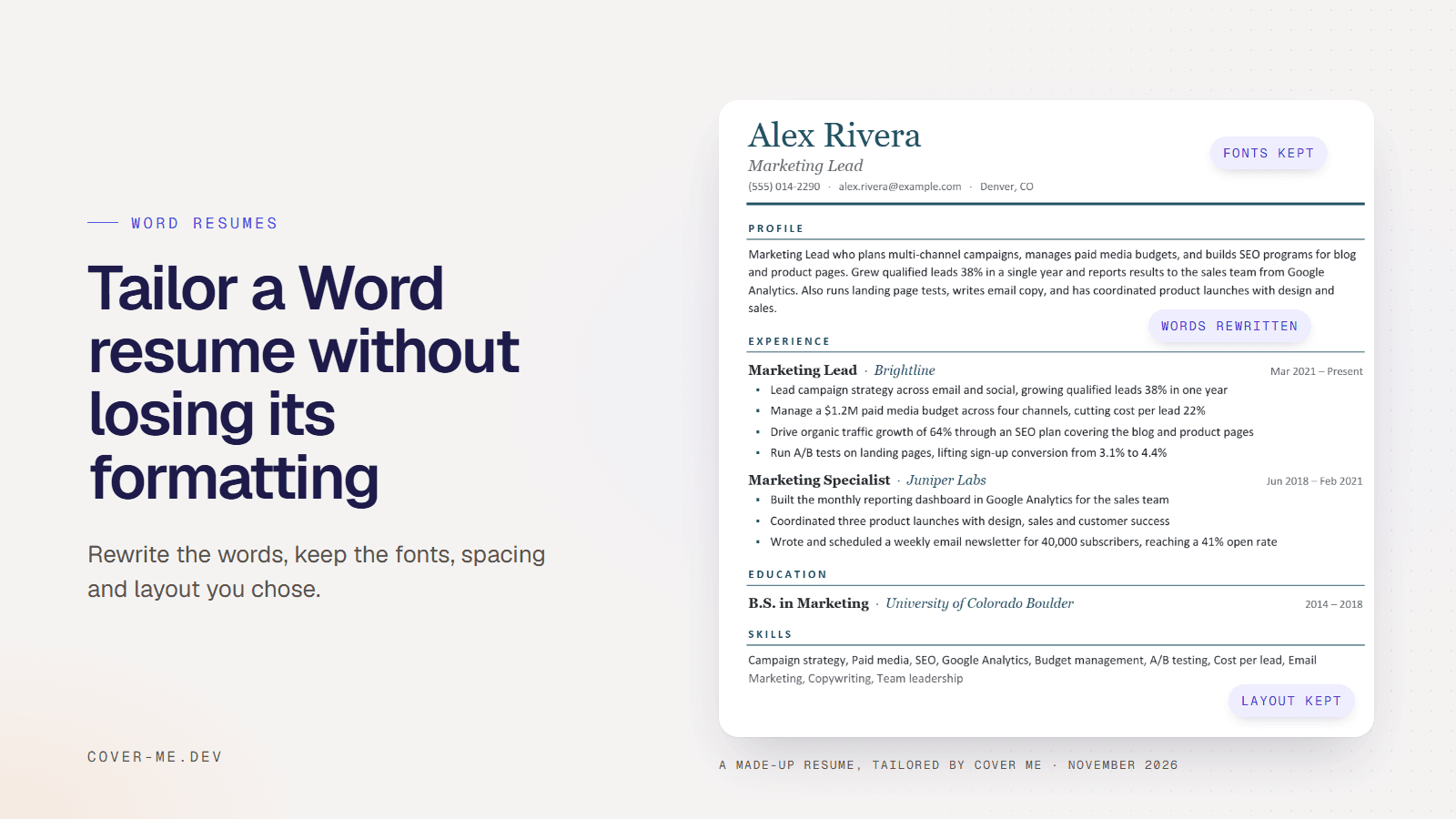
To tailor a Word resume without losing its formatting, change the words inside the paragraphs it already has and leave the paragraphs themselves alone. The design breaks when new text brings its own formatting, when one bullet is split across several lines, or when the resume is rebuilt in another tool’s template. I tailored a made-up Word resume to a sample posting with Cover Me, and its fonts, spacing and layout came back unchanged.
Lincoln Laylor6 min read
TL;DR
- Change the words inside the paragraphs your resume already has, and leave the paragraphs themselves alone.
- The design breaks when pasted text brings its own formatting, when one bullet is split across lines, or when the resume is rebuilt in another template.
- In a test with a made-up Word resume, Cover Me's tailored Word file kept its fonts, spacing and layout (beta).
I build Cover Me, a Chrome extension that tailors resumes to job postings, so weigh what I say about it with that in mind. The resume, the person and the posting below are all made up. You can download the sample resume and try it yourself.
Why does tailoring break a Word resume’s formatting?
Because the new words arrive with formatting of their own, or the resume gets rebuilt somewhere else. Three things cause most of it:
- Pasting rewritten text from a chat window or web page. Word’s paste keeps the source’s font and size unless you tell it otherwise, so a pasted bullet can end up in a different font from the ones around it, with its own spacing.
- Bullets that aren’t their own paragraph. If you pressed Shift+Enter to start a new line inside a bullet, a rewrite of a different length leaves that line break in the middle of the new text.
- Moving the resume into a resume builder. Builders lay your content out in their own templates. Rezi’s builder page, for example, says an imported resume’s experience goes into a new Rezi document (checked November 7, 2026; see Cover Me vs Rezi). That works if you want a new design, but your own Word layout doesn’t come with it.
How do you tailor a Word resume by hand without breaking it?
Edit the text, not the structure. Work on a copy, type or paste plain text into the bullets you already have, and keep one bullet per paragraph.
- Save a copy for the job with File, Save As, and work on that copy.
- Click inside a bullet and select its words, not the whole line with its bullet mark, then type the new wording over them. The new words take the bullet’s formatting.
- If you paste, use the Paste Options button that appears after pasting and choose Keep Text Only. The text then matches the bullet you pasted into.
- Keep one bullet per paragraph. Press Enter between bullets, never Shift+Enter.
- To reorder bullets within a role, move whole paragraphs. Leave job titles, employers and dates alone.
- Check the page count before you send it. A rewrite that adds a few words to each bullet can push a one-page resume onto a second page.
The tailoring guide covers what to change in the words: which keywords to use from the posting, which bullets to rewrite, and what never to add.
What does Cover Me change in a Word file, and what does it keep?
It changes the text of your bullets, your summary and your skills line, inside the paragraphs that already hold them. Everything else in the file stays as it was: fonts, sizes, colors, spacing, margins, headings, bullet style, dates and contact details.
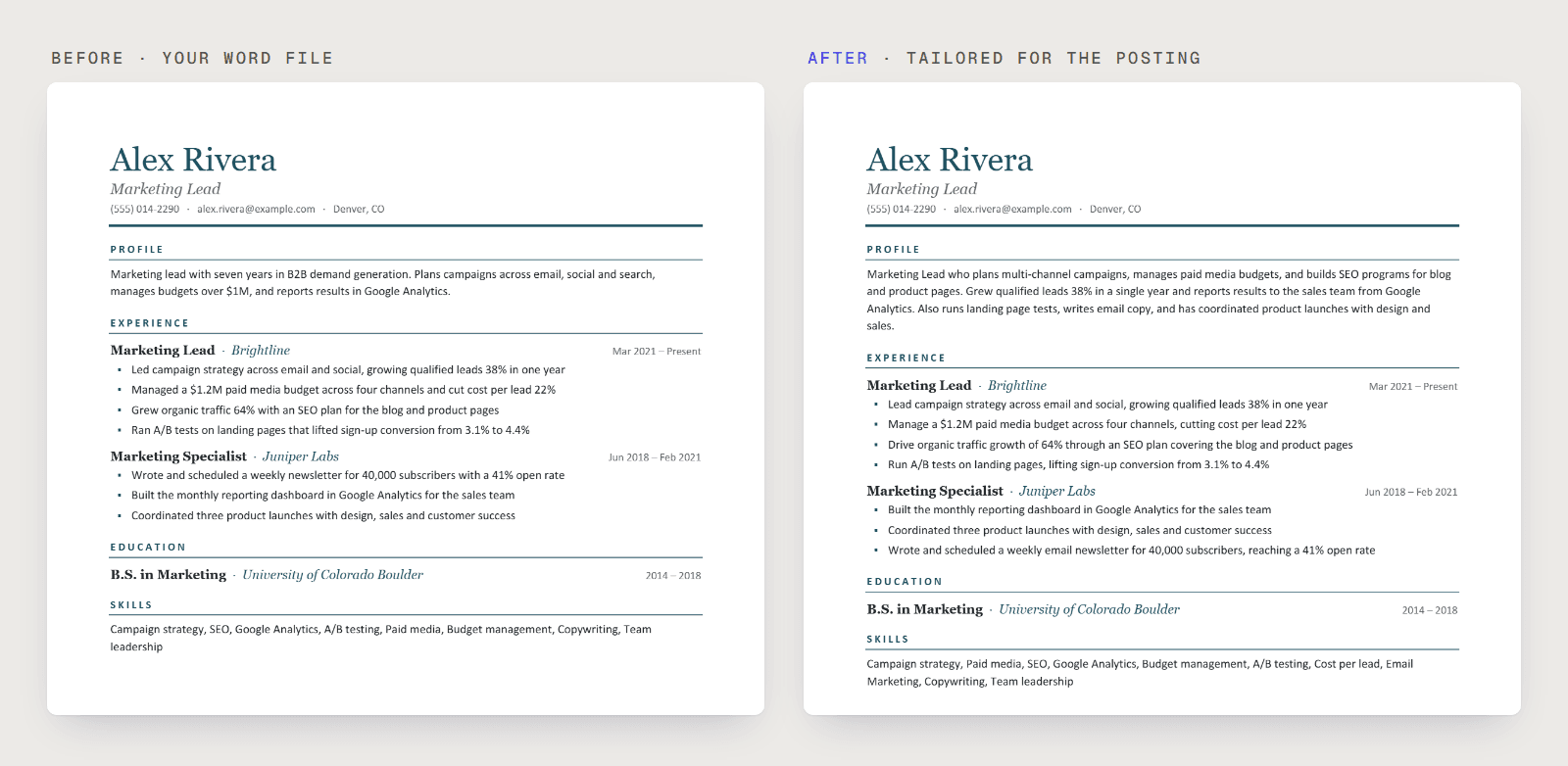
In my run, tailored to a sample Marketing Manager posting at a made-up company, Northwind, here is what changed:
- Five of the 7 bullets were reworded, and the other two kept their words. The three bullets for the older role came back in a new order, with the Google Analytics reporting bullet first.
- The profile was rewritten around the posting’s campaign, paid media and SEO work.
- The skills line was reordered to lead with the posting’s skills, and two terms from the bullets were added: cost per lead and email marketing.
- HubSpot stayed off the resume. The posting asks for it, Alex’s resume doesn’t mention it, and Cover Me listed it as missing instead of adding it.
There are limits. Cover Me finds each bullet by its text, so a bullet it can’t find as its own paragraph stays as written. If it can’t find at least 80% of your bullets, it doesn’t edit the file and uses its standard layout instead. A rewritten bullet takes the formatting of the longest stretch of text in it, so a bold lead-in comes back plain.
How do you keep your Word design in Cover Me?
Upload your resume as a Word file, leave “Your design” selected, and download the result as Word.
- On the Resume tab, upload your .docx. From Google Docs, use File, Download, Microsoft Word first.
- Cover Me checks the file and shows how many bullets it can tailor, whether it found a summary and what happens to your skills.
- Open a posting on a job site, or paste one in, and click Tailor Resume to Job.
- Click “Word (your design)”. The other button, “PDF (Cover Me layout)”, gives you the standard one-column layout instead.
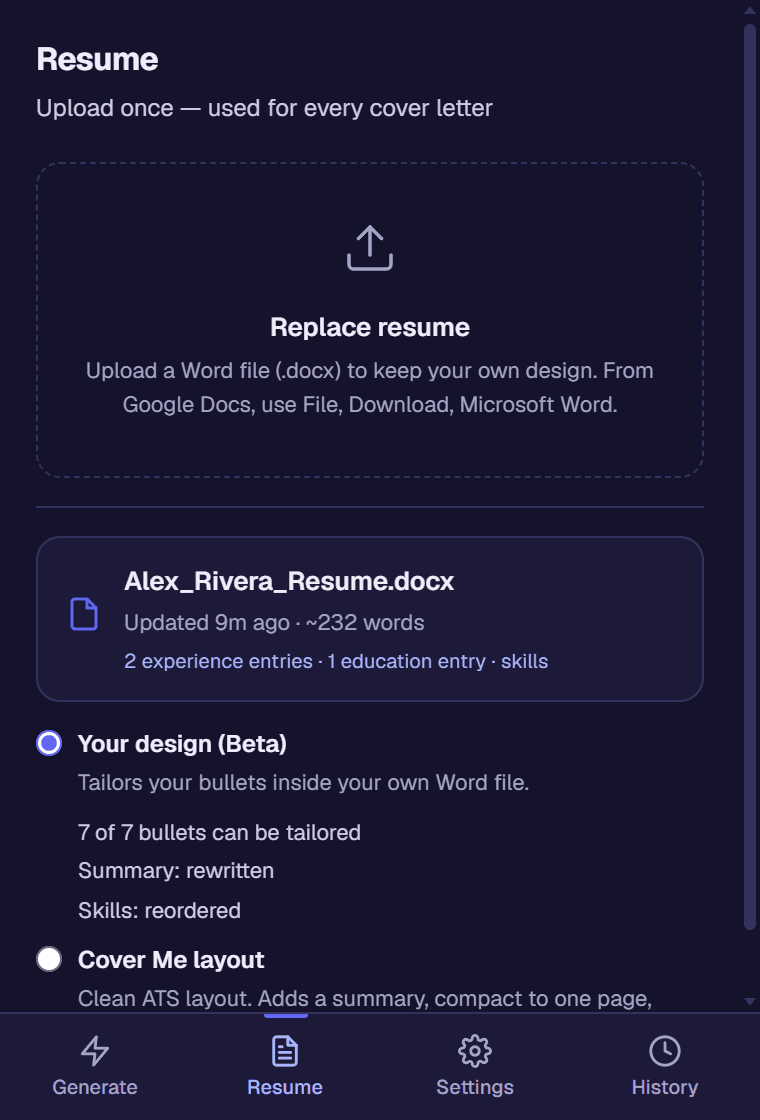
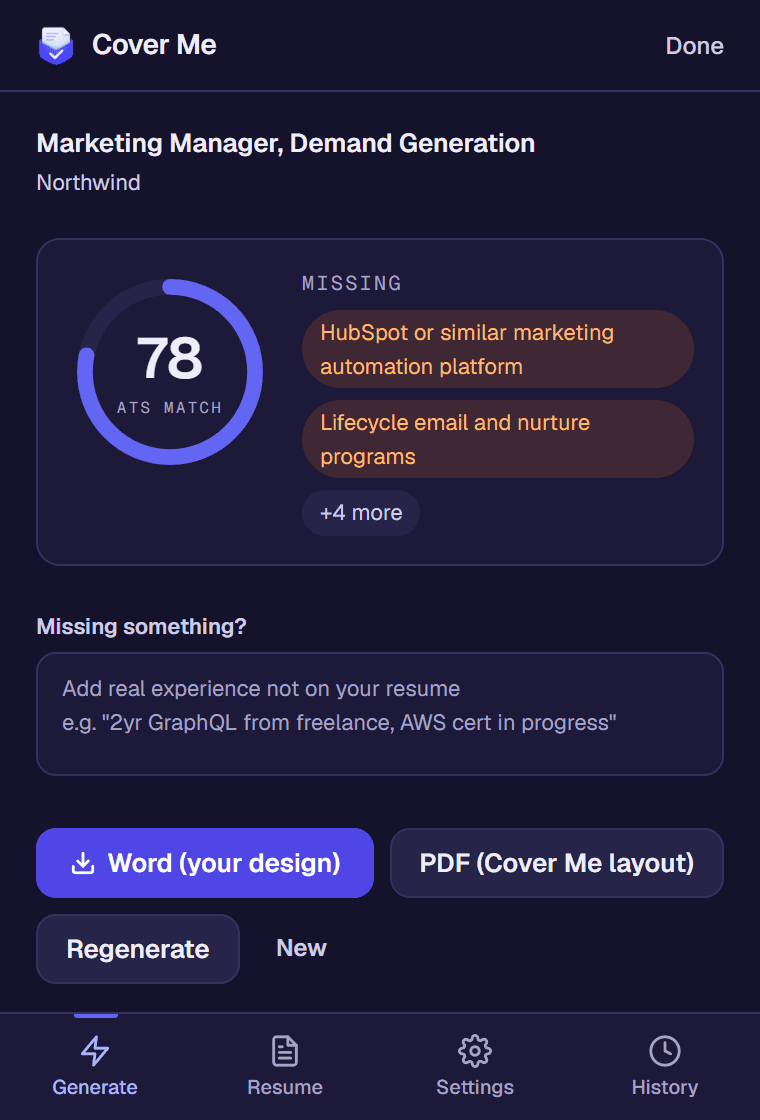
Tailoring took 22 seconds. Upload a PDF and you’ll get the standard layout, since a PDF can’t be edited in place.
Should you send the Word file or a PDF?
Either works if the layout is simple, so send what the application asks for. When I uploaded one resume in six formats to Lever, Workday, Ashby and SmartRecruiters, all four filled in the same details from the one-column Word file and the one-column PDF. To send your own design as a PDF, open the tailored Word file and use File, Save As, PDF. Cover Me’s PDF button uses its own layout.
Which Word layouts can’t be tailored in place?
Anything that keeps a bullet from being its own normal paragraph. Cover Me shows these after the upload, so you can fix them in Word and upload again.
- Bullets in text boxes stay as written. Move them into normal paragraphs.
- Bullets joined with Shift+Enter can’t be found one by one. Put each on its own line with Enter.
- A skills list in one paragraph is reordered, and terms from your bullets can be added. Skills split across several paragraphs or table cells are kept as written.
- Two columns, tables and text boxes get a warning, because some application systems read them out of order. In the ATS format test, a two-column design lost part of a link in Ashby, and a table mixed skills into a degree in SmartRecruiters.
Frequently asked questions
Can AI tailor my resume without changing its format?
Yes, if it edits the text inside your Word file instead of rebuilding the resume. Cover Me does this when you upload a .docx: it rewrites your bullets, summary and skills line in place, and the Word download keeps your fonts, spacing and layout. The feature is in beta, and it tells you before you tailor how many bullets it can edit in place.
Does Cover Me keep the design of a PDF resume?
No. A PDF can't be edited in place, so a tailored resume from a PDF upload uses Cover Me's standard one-column layout. To keep your design, upload the Word file you made the PDF from. From Google Docs, use File, Download, Microsoft Word.
Why did a bold word in my bullet become plain after tailoring?
Cover Me puts each rewritten bullet into the formatting of the longest stretch of text in that bullet. A bullet that starts with a bold lead-in, like "Growth:" followed by plain text, comes back all plain. Bold the lead-in again in Word, or keep bullets in one formatting.