
What your Workday application status means
A Workday application shows a status such as Submitted, In Progress, Completed or Withdrew, and employers can rename them. The one that trips people up is Completed, which in most cases means you weren’t selected. Here is what each status means, where it comes from, and what to do next.
Lincoln Laylor7 min read
TL;DR
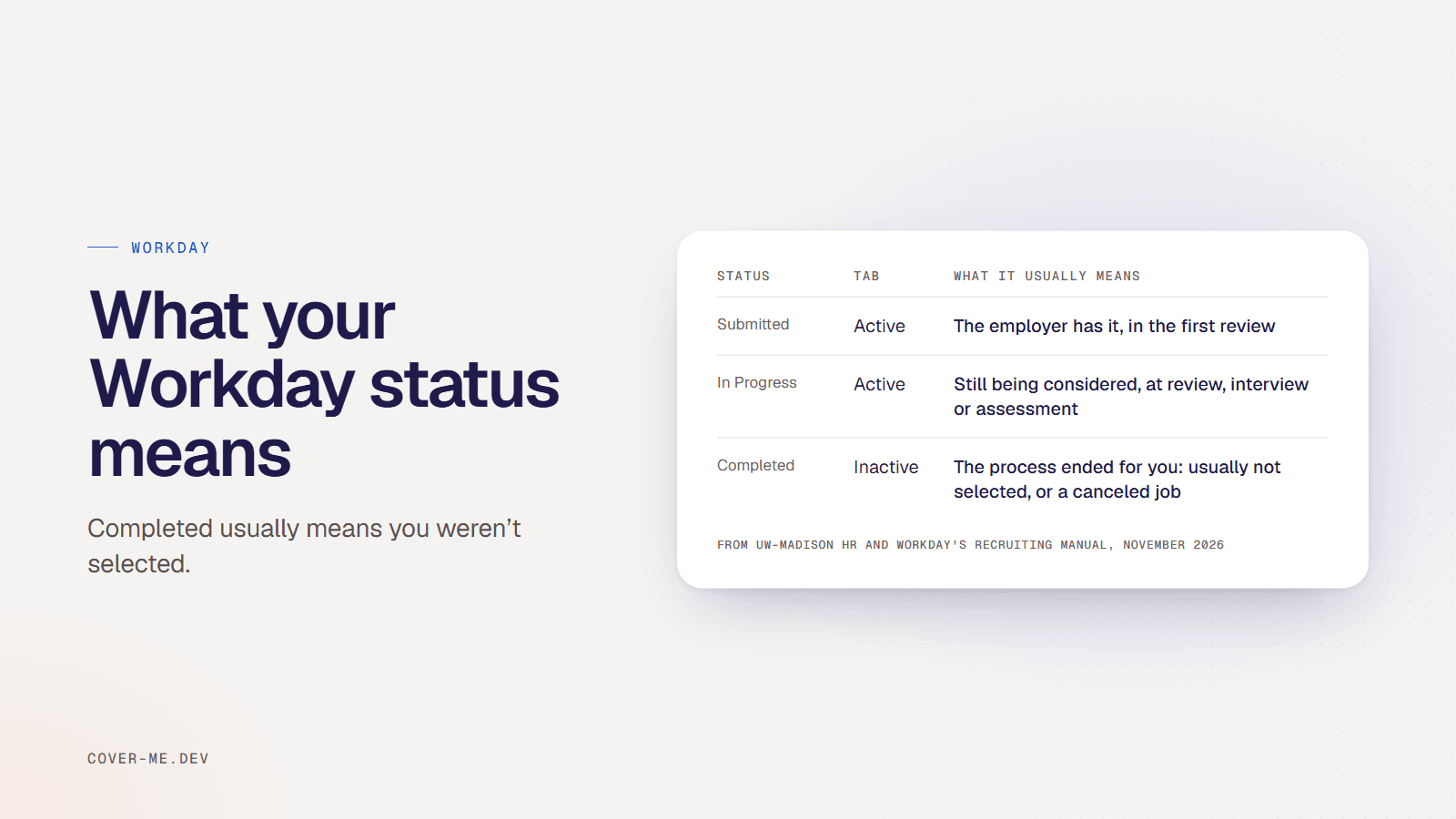
- Submitted: the employer has it, and it is in the first review.
- In Progress: you are still being considered. It can cover every stage from first review to interview.
- Completed, on the Inactive tab: the process ended for you. Unless you have an offer, you weren't selected.
- A status change in Workday may not send you an email, so the status can be the only answer you get.
The meanings below come from employers’ and universities’ own HR guides and from Workday’s recruiting manual for administrators, not from other job sites. I read each source on November 23, 2026, and each row of the table links to the ones it rests on. Employers set up Workday their own way, so your employer’s labels can differ. The section after the table explains how.
Workday application statuses and what they mean
In Workday, each application has a status (Active or Inactive), a stage such as Screen or Interview, and a step within the stage. You see a simplified version on your candidate account. Active applications sit on one tab and inactive ones on another, and a label tells you roughly where yours stands.
| Status | Tab | What it usually means | What to do | Source |
|---|---|---|---|---|
| Submitted | Active | The employer has your application, and it is in the first review stage. | Nothing yet. Keep applying elsewhere. | UW–Madison HR |
| In Progress | Active | You are still being considered. At some employers it means you’re past the first review, such as at interview or assessment. At others it covers every active stage, review included. | Watch your email and the tasks in your candidate account. Moving to a phone screen step doesn’t change it. | UW–Madison HR, Workday’s recruiting manual, University of Washington |
| Completed | Inactive | The process ended for you. Usually you were declined, or the job was canceled. At some employers, hired applications move to the Inactive tab too. | If you have no offer, treat it as a no. You can still apply for other jobs at the same employer. | UW–Madison HR, Montgomery College |
| Withdrew | Inactive | You took yourself out of consideration. | Nothing. If you change your mind, contact the recruiter. | UW–Madison HR, University of Washington |
UW–Madison’s HR guide gives the clearest mapping. While an application is in the Review stage, the candidate sees “Application Status: Submitted” on the Active tab. Any other active stage, such as an interview, an assessment or an employment agreement, shows “Application Status: In Progress”. Any decline reason except a withdrawal shows “Application Status: Completed” on the Inactive tab, and so does a canceled job (UW–Madison HR).
What “Completed” means in Workday
“Completed” on a Workday application means the hiring process has ended for you, and in most cases that you weren’t selected. It doesn’t mean your application went through and is complete. The word describes the process, not the outcome.
In UW–Madison’s table, Completed appears in two cases: the employer declined you for any reason other than your own withdrawal, or the job requisition was canceled (UW–Madison HR). The University of Washington’s statuses make the same point in plainer words. Theirs says “Not selected”, which “can occur at any time after application”, and a canceled job shows “Recruitment Canceled” (University of Washington).
Hires can end up on the same tab. Montgomery College’s Workday guide for its own employees says applications that have been “withdrawn, rejected or are ready for hire appear under the Inactive tab” (Montgomery College). Neither guide says which label a hire shows. If you accepted an offer, that may be why your application moved. If you didn’t, Completed means no.
Why you might see Completed with no email
UW–Madison’s HR guide warns its own recruiters that changing a candidate’s status in Workday, “including removing them from consideration or closing the Job Requisition, does not send them any kind of notification/communication” (UW–Madison HR). An email goes out only if the recruiter sends one or the employer has set Workday up to send it. The University of Washington’s setup can send a “Disposition notification” that “Informs the candidate when they are no longer under consideration” (UW Human Resources).
Workday also lets employers hold decline emails back. Its manual says “Candidates do not receive notifications immediately if they are declined from a job application” when an employer turns on the delay, and “The minimum delay is one day” (Workday’s recruiting manual). So the status can change a day or more before the email, and at some employers the email never comes.
Why your Workday status may use other words
Employers can rename what candidates see. Workday’s manual for administrators describes an “External Label Override” for communications sent to candidates, and gives the example: “instead of Review, Screen, or Interview, ‘In Progress’ displays for candidates” (Workday’s recruiting manual).
The University of Washington is one employer with its own labels. Its candidates can see five (University of Washington):
- “In Progress: Your application has been received and University of Washington Human Resources (UWHR) is reviewing your resume for minimum qualifications and eligibility”
- “Sent to dept: UWHR has reviewed your resume and sent it to the department’s hiring manager”
- “Not selected: You were not selected for this position”
- “Withdrew: You asked to be removed from consideration for the position”
- “Recruitment Canceled: Recruitment was canceled by the department, so the position will not be filled”
There, In Progress means HR is still checking your resume, which is earlier than UW–Madison’s In Progress. The same word means a different stage at each employer.
If your status uses a word that isn’t in the table, such as “Under consideration”, the tab tells you more than the word. I couldn’t find an HR guide that defines “Under consideration”, so I won’t guess at a meaning. An application on the Active tab is still open, and one on the Inactive tab is closed.
What your Workday status doesn’t show
The status leaves out most of what the recruiter sees. Workday tracks a step inside each stage, such as a phone screen or a resume screen, but UW–Madison’s guide says the status and stage “will influence what they see in their Candidate Home account, while the Step does not” (UW–Madison HR). A recruiter can move you through several steps and your status won’t change.
It also doesn’t show timing. The University of Washington says “The total time it takes to fill any position varies” and that “Hiring departments only contact the most competitive candidates to interview” (University of Washington). An application can stay In Progress a long time, and a status that hasn’t changed tells you nothing either way.
So while a status sits unchanged, put your time into the next application rather than refreshing this one.
Get your next Workday application ready
I build Cover Me, a Chrome extension that gets the documents for a Workday application ready before you start the form. Open the posting on the employer’s myworkdayjobs.com site and click the Cover Me icon. It reads the job and tailors your resume to it, writes a cover letter from your resume, and gives you an ATS score for how well the resume covers the posting’s keywords. For a written question in the form, right-click its box and choose “Cover Me: write an answer”. More on how it works in Workday is on the Cover Me for Workday page.
Upload the resume as a text PDF or a Word file. In my test of six resume formats in four ATSs, Workday read nothing from an image-only PDF.
Frequently asked questions
What does "Completed" mean on a Workday application?
It means the hiring process has ended for you, and usually that you weren't selected. In UW–Madison's Workday setup, every decline reason except a withdrawal shows the candidate "Completed" on the Inactive tab, and so does a canceled job. At some employers, hired applications move to the Inactive tab too, so if you accepted an offer, that may be why. If you didn't, read it as a no.
Does Workday tell you when you are rejected?
Not always. Employers set up their own notices. UW–Madison's HR guide says changing a candidate's status in Workday "does not send them any kind of notification/communication", while the University of Washington sends a notice when a candidate is no longer under consideration. Workday also lets employers delay decline notices by a day or more, so the status can change before any email arrives.
What does "In Progress" mean on Workday?
It means your application is active and still being considered. Workday's own manual gives the example of showing candidates "In Progress" instead of Review, Screen or Interview, so one label can cover several stages. At UW–Madison it means you're past the first review. At the University of Washington it means HR is reviewing your resume.
Is "In Progress" a good sign on Workday?
It means you haven't been turned down yet, and not much more. At the University of Washington, In Progress is the status from the day HR starts reading your resume, so it says nothing about interviews. Read it as "not rejected yet", and keep applying elsewhere.
What does "Submitted" mean on Workday?
It means the employer received your application and it is in the first review stage. In UW–Madison's setup, candidates see "Submitted" while their application is in the Review stage, and it changes to "In Progress" when they move to a later stage, such as an interview.