
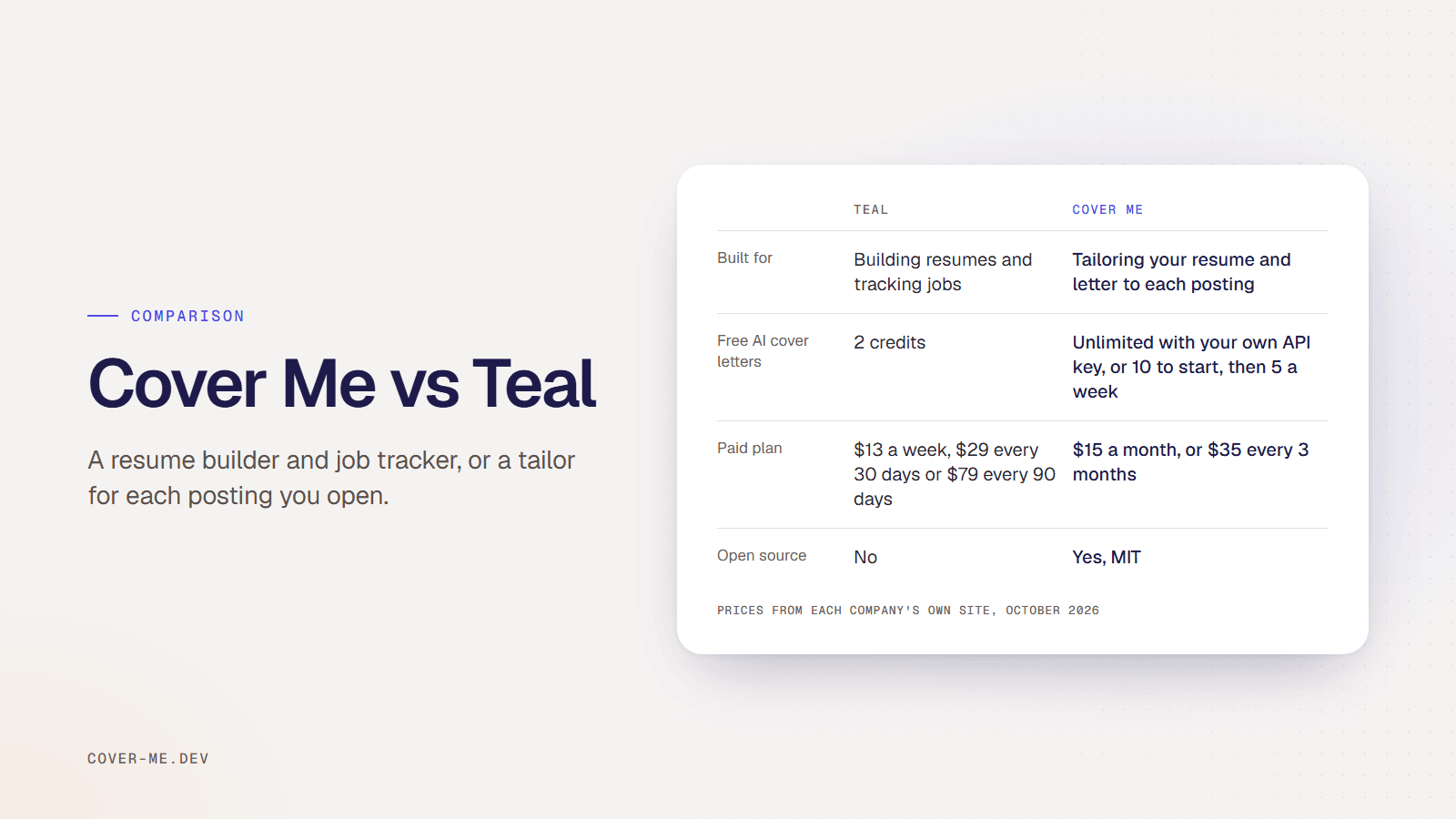
Teal is a resume builder and job tracker, with Teal+ at $29 every 30 days for unlimited AI and keyword matching. Cover Me (cover-me.dev) is an open-source Chrome extension that tailors the resume you already have to the posting you have open, scores it and writes a cover letter. It’s free with your own API key, or $15 a month.
I build Cover Me, so weigh this comparison with that in mind. Teal prices and features are from its pricing page, checked in October 2026.
What is the difference between Cover Me and Teal?
Teal is where you build and manage your resumes and your job search. You write resumes in its builder with templates and Design Mode, keep a version for each role, and track applications, contacts and companies. When you attach a job description, Teal highlights the posting’s keywords so you can work them in, and its AI writes bullets, summaries and cover letters. Its Chrome extension saves job listings to the tracker.
Cover Me skips the builder. You upload your resume once, open a posting on LinkedIn, Indeed, Greenhouse, Lever, Workday or Ashby, and click Tailor Resume to Job. It rewrites your bullets, summary and skills in the posting’s words, shows an ATS score with every missing keyword, and writes a matching cover letter when you click Generate Cover Letter. You edit the result and download it as a PDF.
Feature comparison
Teal details are from its pricing page, checked October 2026.
| Feature | Cover Me | Teal |
|---|---|---|
| Built for | Tailoring your existing resume and writing a letter for each posting | Building resumes and tracking your job search |
| Free plan | Unlimited with your own API key, or 10 generations to start, then 5 a week | Unlimited resumes and job tracking, 10 templates, top 5 keywords per job, and AI credits: 5 bullets, 2 summaries, 2 cover letters |
| Paid plan | $15 a month, or $35 every 3 months, for up to 25 generations a day | Teal+ at $13 every 7 days, $29 every 30 days or $79 every 90 days |
| Where it runs | Chrome extension, on the job posting you have open | Web app, plus a Chrome extension that saves jobs to its tracker |
| Tailoring | One click rewrites your bullets, summary and skills in the posting’s words | Keyword matching highlights the posting’s keywords while you edit; AI writes bullets and summaries |
| Match score | ATS score from 0 to 100 with every missing keyword listed | Keyword insights for the job you attach |
| Invented skills | A check removes skills your original resume does not support | Not described on its pricing page |
| Templates and design | Not included, PDF export only | Resume templates and Design Mode |
| Open source | Yes, MIT licensed | No |
How much do Teal+ and Cover Me Pro cost?
Teal+ costs $13 every 7 days, $29 every 30 days or $79 every 90 days. Cover Me Pro costs $15 a month or $35 every 3 months, for up to 25 generations a day with every application saved and searchable on your dashboard. With your own OpenAI or Claude API key, Cover Me is free and unlimited, and you pay the AI provider for what you use. Without a key, the hosted free plan gives 10 generations to start, then 5 a week.
When is Teal the better choice?
When you need to build a resume, not just adapt one. Teal’s builder, templates and Design Mode help if your resume needs a new layout, and its free job tracker is useful if you want your whole search, contacts and follow-up emails in one place. Its free plan does a lot without paying.
When is Cover Me the better choice?
When your resume is already in good shape and the work is adapting it to every posting. Cover Me does that from the posting page in one click, instead of you editing toward highlighted keywords. Before you see a tailored resume, a check removes any skill or claim your original resume doesn’t support, so nothing goes out that you can’t back up in an interview. The code is MIT licensed on GitHub, and the two work together: Teal to build and track, Cover Me to tailor each application.